Monday, February 20, 2012

Yow! KIARA Linux has moved... a long time ago!


MFW I discover that this old KIARA blog is getting hits and is coming up first in Google search results for "KIARA LINUX"!


Wednesday, September 8, 2010

IT IS HAPPENING AGAIN! Kiara 1.16 "Giant"


With the latest release, there are three changes.

1. There's a new stable version of Firefox, version 3.6.9. Kiara tries to always be current with the latest stable firefox release.

2. There's a new system of numbering Kiara releases. What would have been Kiara 16 is now 1.16. this is in anticipation of a possible change. Future versions of Kiara may be based on something other than Slax 6.1.2.

3. Instead of hosting the latest Kiara download from mediafire, I'm going to try using the public folder in my dropbox folder. This would solve a lot of problems for me, so I'm going to be looking to make this switch permanent. If the download experience is bad for you PLEASE let me know.


Saturday, July 24, 2010

What? Already? Yep, it's Kiara 15!


Nickname: "Margaret"
Now available for download!
Apparently, two days after 3.6.7, Firefox released version 3.6.8, and so, in keeping with my "follow Firefox" policy, two days after releasing Kiara 14, I am releasing releasing Kiara 15.
The only changes are the new browser, and, hopefully, less ugly splash screens.

I've been waiting for someone to guess how the releases are named, but it's pretty clear I'd be waiting forever, so now I shall reveal it. Kiara releases are named after characters from the best TV show iof all time, "Twin Peaks". Margaret was the name of the character most commonly referred to as "The Log Lady".


Neatly underplayed by stage actress and David Lynch associate Catherine E. Coulson, the Log Lady was everybody's favorite. She was occasionally injected into the plot as a kind of crackbrained soothsayer. (For the uninitiated, the log she carried everywhere "contained many spirits" and often spoke to her.) Mostly, she was written into a scene whenever a bit of weird-ass local color was called for.

Wednesday, July 21, 2010

Revised version of Kiara 14


As an afterthought, I reorganized the setup tools for Kiara, so that I could finally write some documentation. It's been incredibly hard getting started, but organizing the tools should help a lot. All I did was number them, to get a handle on the order in which they might be used to set up Kiara with a normal user. It's going to make all the difference... I hope.

Kiara 14 "Big Ed" released


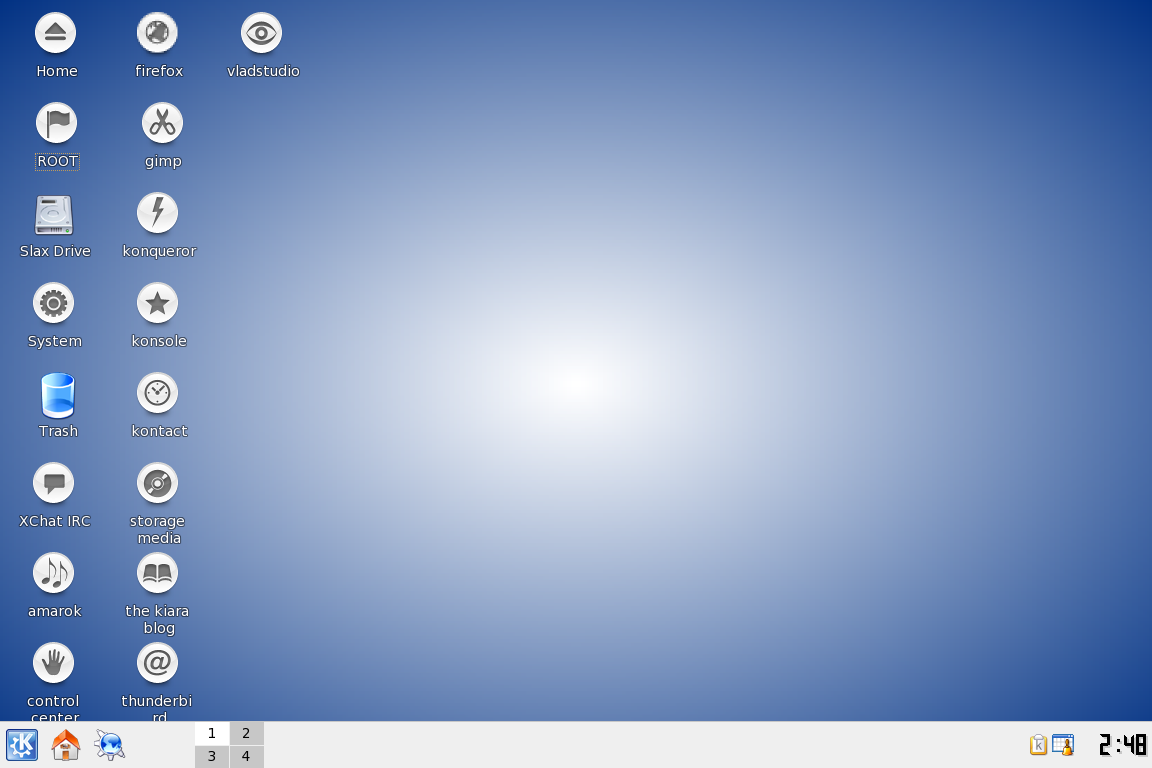
Kiara uses a legacy desktop environment (KDE 3.5.10) and a contemporary Operating System platform (Slax 3.1.2, with additional packages taken from Slackware 12.2.) It's my belief that one important thing that I can do to keep all this old software fresh for the user is to keep up with the very latest web browser software, and the most important web browser in the Linux world is still Mozilla Firefox. For that reason, it's my policy to release a new version of Kiara immediately when I become aware of a new Firefox release.

And I mean immediately. This time, I became aware of the release of Firefox 3.6.7 at around midnight Wendesday morning, and I was uploading Kiara 14 before 3 AM. It's almost 6 AM, and I'm doing the first test download now. The new web browser, some new (crude but amusing) splash screens, and a new default backfron from Vladstudio are the only changes.

NOTE: I've decided to make a few added revisions for this release. I've reorganized the Kiara Setup Tools. Actually, all I did was number them, but I think that's going to make it a lot easier for me to FINALLY write the documentation for the setup tools. So the REVISED version of Kiara 14 is uploading now. (Wed Jul 21 20:58:33 UTC 2010)
When the upload is successfully completed, I'll post an announcement.

Wednesday, July 7, 2010

Kiara 13 codenamed "Lucy"


To me, this release lopoks and feels a lot more polished than last week's hastily put-out "Leo". The artwork seems better coordinated. Other changes include: upgrading the Opera Browser from 10.10 to 10.60, Adding the Google Chrome browser for 5.0, cleaning out the Setup tools, and adding a "Back to menu" button for improved navigation. To make room, ZSH and Gimp-help have been removed.

Tuesday, June 29, 2010

BACK IN SLACK: Kiara 12! Nickname: Leo


Leo finally gets a new pair of shoes!

Blackbelt_jones (THAT'S ME!) is reasonably proud (but mostly relieved) to announce the long-overdo uploading of Version 12 of Kiara GNU Linux, a live CD based on Slax, lovingly handmade using software packages ported from Slackware 12.2, and featuring the classic KDE3.5 Desktop environment.

Although it is my policy to release a new Kiara CD immediately after each new release of the Mozilla Firefox Web Browser, a problem with my long-hated ISP, who shall remain anonymous (let's just call them "Shmerizon",) had taken me out of commission for a few months. It's good to be back.

As always, this release features fresh Desktop art from VLADSTUDIOS, the latest version of the Firefox (3.6.6) and Thunderbird (3.1), plus the one and only KIARA SETUP TOOLS, which use Konqueror's "Link to Application" feature to create a simple GUI to help everyday users approach some essential command-line administration tools.

Of course, the real Star of any Kiara release is Slax 12.2, the most fun and flexible live CD I know of, and also the most Slackware like.

The following packages have been added to Kiara as Slax (*.tlz) modules, and (to the best of my recollection) were ported from Slackware 12.2:

amarok-1.4.10-i486-3.lzm
kdeadmin-3.5.10-i486-4.lzm
at-3.1.10-i486-1.lzm
kdeartwork-3.5.10-i486-2.lzm
links-2.2-i486-1.lzm
vim-7.2.018-i486-1.lzm
attr-2.4.41_1-i486-1.lzm
kdebindings-3.5.10-i486-2.lzm
lynx-2.8.6rel.5-i486-1.lzm
w3m-0.5.2.lzm
bsd-games-2.13-i486-8.lzm
kdeedu-3.5.10-i486-2.lzm
man-pages-3.15-noarch-1.lzm
wicd-1.6.2.2-i686-3cca.lzm
kdegames-3.5.10-i486-2.lzm
mc-4.6.1_20070623p14-i486-2.lzm
dbus-python-0.83.0-i486-1.lzm
kdegraphics-3.5.10-i486-2.lzm
mplayer-1.0.lzm
wireless-tools-29-i486-4.lzm
elinks-0.11.lzm
kdemultimedia-3.5.10-i486-2.lzm
nano-2.0.9-i486-1.lzm
emacs-cvs-23.lzm
kdenetwork-3.5.10-i486-2.lzm
epic4-2.8-i486-1.lzm
kdepim-3.5.10-i486-4.lzm
perl-5.10.0-i486-1.lzm
xchat-2.8.6-i486-2.lzm
gimp-2.4.7-i486-1.lzm
kdesdk-3.5.10-i486-3.lzm
pygobject-2.15.4-i486-1.lzm
xclock-1.0.3-i486-1.lzm
gimp-help-2-0.8-noarch-1.lzm
kdetoys-3.5.10-i486-2.lzm
pygtk-2.12.1-i486-2.lzm
xfce-4.4.3-i486-1.lzm
gnuplot-4.2.3-i486-1.lzm
kdeutils-3.5.10-i486-2.lzm
python-2.5.2-i486-4.lzm
xgames-0.3-i486-1.lzm
gtk+-1.2.10-i486-4.lzm
kdevelop-3.5.3-i486-3.lzm
ruby-1.8.7_p72-i486-2.lzm
xine-lib-1.1.15-i686-1.lzm
gtk+2-2.12.12-i486-1.lzm
kdewebdev-3.5.10-i486-2.lzm
sane-1.0.19-i486-3.lzm
xine-ui-0.99.5-i686-1.lzm
gxine-0.5.903-i486-1.lzm
screen-4.0.3-i486-1.lzm
xli-1.17.0p21-i486-1McD.lzm
icewm-1-2-35.lzm
knemo-0.4.8-i486-2.lzm
sqlite-3.6.6.2-i486-1.lzm
xmms-1.2.11-i486-2.lzm
irssi-0.8.14-i486-1.lzm
krusader-1.90.0.lzm
sudo-1.6.8p12-i486-1.lzm
xscreensaver-5.07-i486-2.lzm
kdeaccessibility-3.5.10-i486-2.lzm
ktorrent-2.2.8-i486-1.lzm
tcl-8.5.5-i486-1.lzm
xv-3.10a-i486-5.lzm
kdeaddons-3.5.10-i486-2.lzm
tk-8.5.5-i486-1.lzm
twm-1.0.4-i486-1.lzm
yakuake.lzm


To the best of my recollection, these moodules were downloaded from Slax.org

codecs-essential-20071007.lzm
libdvdcss-1.2.10-i486-1mfb.lzm
libdvdread-4.1.3-i486-1pst.lzm
wpa_supplicant-0.5.10-i486-1.lzm
opera10.10.4609.flash.10.lzm
wlassistant-0-5-7.lzm
wine-1.1.22-i486-mt.lzm
kdm-fix-s6.lzm

Saturday, June 26, 2010

If anyone cares: NEW RELEASE COMING SOON!

For the past few months, I've been unable to use Kiara with my internet connection, because my ISP treats Linux users like Crap, and I haven't had a windows system to set up my router. So that's fixed, and right now I'm helping my friend get her home ready for her brother to come home from the nursing home where he's live for the past few months. As soon as I get a chance, I'll upload a new Kiara, which will probably just be the same Kiara with the latest version of Firefox and Thunderbird, some new art... you know the drill!

Wednesday, June 23, 2010

Kiara

Thursday, December 31, 2009

Kiara 10, remastered for 2010


I had noticed some corruption in some files, so I started over and created a new Kiara image, using a freshly downloaded Slax ISO image and pristine modules from an earlier edition. As usual, I spent most of my time selecting the Desktop theme, and this one, based on vladstudio's Winter Forest wallpaper, is pretty stunning.

Saturday, December 19, 2009

Kiara 09 "Festive" edition


Download

Even though I have been a bit of a Scrooge sometimes, I just couldn't see releasing a dark gray Kiara Desktop in the week before Christmas, without a festive alternative. So here's something a little more in tune with the spirit of the holiday season. The background, the splash screen, and and the boot menu are the only things about this disk that are different from the previous disk.

As always, the artwork comes from Vladstudio source of some of the best Desktop art around. Vlad has created a whole series of beautiful designs that evoke Christmas without resorting to visual cliches. We think of Christmas as Red, Gold, and Green... but for Vlad, the color of Christmas is blue. His designs are fresh and original, yet somehow they evoke traditional feelings.

I deliberately chose "Where Snowflakes Are Born", which evokes Christmas without literally referring to it. In other words, it won't be obsolete a month from now, and if you don't celebrate Christmas, it won't necessarily be inappropriate. (Of course, you can change the wallpaper. Either temporarily if you run Kiara as a live CD, or semi-permanantly if you run Kiara as a live root (mounting a hard drive partition as Home) or as a hard drive install.

Kiara has been downloaded 104 times that are confirmed, and almost certainly more (there was an earlier download site that I just abandoned.) Besides the US, Kiara has been downloaded in Germany, Spain, and India. To those who have downloaded it, and to all those whose work went into it, including Richard Stallman, Linus Torvalds, Patrick Volkerding, Tomáš Matějíček, Vlad Gerasimov, and the much-maligned KDE Team, my thanks. To you and to all the world, best wishes for a happy holiday season and a safe, prosperous, and healthy new year.

Friday, December 18, 2009

Kiara 09, stripped down, a new version of Firefox, that's about it.


Hey, it's Christmas, and I am, as the kids used to say back when I was a kid, "in a bad place". It sort of a holiday tradition with me. As I move from early middle age to middle middle age, I need to lose 20 pounds lest I become diabetic, and I need to clean up my apartment lest I become homeless.

I also need to work on the Kiara documentation. I had a hard time learning Linux, and I'd like to see what I can do to make it easier for others. The Linux community is run by programmers, and that makes it awesome, but programmers seem to divide users into two camps:"programmers" and "idiots". There's a whole world of possibility between click click click clicking for hours and hours and debating python vs. perl. It's my ambition to create a place for educating users to be empowered. And Kiara is is something I can build that

To summarize, Kiara has three missions other than, you know, being a Linux distro:

1. To preserve the classic KDE 3 desktop

2. To provide a showcase for demonstrating a more advanced version of Fluxbox than the usual default, with the help of Konqueror.

3. As an opportunity to help the Linux Newbie become the Linux power user.

For the time being, as I concentrate on pulling my life out of the crapper (it's a metaphor), and work on Kiara documentation, it looks like Kiara releases are going to follow releases of Firefox, and so, a couple of days after the release of Firefox 3.5.6, here is Kiara 09. It's stripped down, it's got Firefox 3.5.6 instead of Firefox 3.5.5. Other than that, it's not much different.

I've been laying low, and I'm going to continue to lay low. Sometime, in early 2010, With the help of God and St. Ignutius, I intend to start working on overhauling this site to accomodate these three objectives. In the meantime I'll keep up with basic software updates. Kiara is a customized version of Slax, and you can find a lot of the information you need at Slax. org, and if I can help anyone who is using Kiara (about 100 downloads so far, and only 5 or 6 of them are me) I can be reached through Twitter (@GNULinuxMadman) or by email (kiaragnulinux@gmail.com).

By the way, I might as well let you in on the joke. Kiara 09 is listed as a "Unstable release Well, I think they're all going to be unstable, unless this whole operation chages significantly. At no point am i going to say: Sure go ahead and ruyn your business on my homemade CD.

The desktop is really really gray. That's to show you how much I've been getting into the Christmas spirit. Actually, I love this art, from vladstudio.

Monday, November 30, 2009

Live Rooting output color keyed

bash-3.1$ su
niPassword: *********
bash-3.1# adduser tbone

Login name for new user: tbone

User ID ('UID') [ defaults to next available ]:

Initial group [ users ]:
Additional UNIX groups:

Users can belong to additional UNIX groups on the system.
For local users using graphical desktop login managers such
as XDM/KDM, users may need to be members of additional groups
to access the full functionality of removable media devices.

* Security implications *
Please be aware that by adding users to additional groups may
potentially give access to the removable media of other users.

If you are creating a new user for remote shell access only,
users do not need to belong to any additional groups as standard,
so you may press ENTER at the next prompt.

Press ENTER to continue without adding any additional groups
Or press the UP arrow to add/select/edit additional groups
: audio cdrom floppy plugdev video wheel

Home directory [ /home/tbone ]
- Warning: '/home/tbone' already exists !
Do you wish to change the home directory path ? (Y/n) n
Do you want to chown tbone.users /home/tbone ? (y/N) y

Shell [ /bin/bash ]

Expiry date (YYYY-MM-DD) []:

New account will be created as follows:

---------------------------------------
Login name.......: tbone
UID..............: [ Next available ]
Initial group....: users
Additional groups: audio,cdrom,floppy,plugdev,video,wheel
Home directory...: /home/tbone
Shell............: /bin/bash
Expiry date......: [ Never ]

This is it... if you want to bail out, hit Control-C. Otherwise, press
ENTER to go ahead and make the account.


Creating new account...


Changing the user information for tbone
Enter the new value, or press ENTER for the default
Full Name []:
Room Number []:
Work Phone []:
Home Phone []:
Other []:
Changing password for tbone
Enter the new password (minimum of 5, maximum of 127 characters)
Please use a combination of upper and lower case letters and numbers.
New password: *********
Re-enter new password: *********
Password changed.


Account setup complete.
bash-3.1#

Are we having Phase Two Yet?

Taking my little CD forward.


With the "plain" and "elegant" versions of the Kiara 08 live CD built and uploaded, I feel that Kiara is much better than I originally intended, and development can proceed more slowly. After the download links hae been tested, I'm going to start making additional software available for Kiara, beginning with tarball Archives for the source files. Users will be able to use these files for installing Kiara to hard drives, flash drives and virtual machines, and to create their own custom builds of Kiara or Slax. If all goes well, the tarballs will be available before tomorrow.

After that, I intend to upload upload additional software for Kiara, in the form of almost all the packages of Slackware 12.2, ported to slax modules, but that may not happen depending on how my bandwidth is holding up. At the very least, I'll link to the Slackware files and provide instructions for porting the files to Slax format (It ain't rocket science.)

The course of future upgrades of Kiara will depend to a very great extent on the future of Slax. Kiara is intended as the last line of defense in keeping KDE 3.5 alive as a viable desktop, at least for the home user aficianado, at least some of the time. If KDE4 was ever an issue, I don't think it really is anymore. I use KDE4 frquently in a Sidux as a live CD, and I often run kubuntu froom the hard drive, when I'm not using the first partition to develop Kiara. I have nothing against KDE4-- but I'm not giving up my my KDE3.5. Why? Because I don't have to.

In a worst case scenario, Kiara is being built to run as a read-only "live root", running as a live CD with a hard drive partition mounted as /home. This provides a layer of extra security while allowing for all the data retention of a normal hard drive install. The security of of live root system can be compromised, but simply rebooting the hard drive. The catch is a few minutes extra prep time after rebooting, to mount and configure the /home partition. That's what the setup tool on the root desktop are about. If nothing else changes, future upgrades will follow upgrades of major third party applications, such as firefox, opera, and thunderbird.

When the software is finally established, I intend to start in on the documentation. This is the part that I've been truly looking forward to. More on that later.

Kiara "Plain" 08: 100 MB lighter, and still pretty elegant.


NOW AVAILABLE at The Kiara Download Page
!

Sunday, November 29, 2009

New "Elegant" Kiara 08: Did I go too far? Don't I always?


NOW AVAILABLE at The Kiara Download Page!


After accidentally uploading an ugly-ass version of Kiara 07 with a dreadful chrome/red velvet theme that was supposed to have been rejected, I decided that I was going to release a really great looking version no matter what it took. What it took was hours and hours of compulsive casting and recasting, maybe two dozen Cds being burned and discarded, a crapload of configuring, sacrificing some nonessential applications, and adding maybe a minute or more to the boot time. The next Kiara is going to be pared down, but here is what i worked so hard on. It looks great, if I may say so. If you like eye candy, suck on this.


The background images and icons are from the incomparable Vladstudio, Background images have been added to Konqueror, and it looks great. Konsole has been configured to run transparent by default. Desktop icons have been added, and arranged attractively, in alphabetical order.


Kiara 08 features the addition of the latest version of Mozilla's thunderbird email application (requires a normal user account) and a simple "memo" feature for fluxbox that works by opening the background image in the GIMP, so you can conveniently add text memos. I keep meaning to start writing the documentation, and as soon as Kiara is satisfactorily developed, I will. In the meantime, you can leave questions here, or email me at kiaragnulinux@gmail.com.


Kiara 08 will be the first Kiara to be released in two versions. This is the "elegant" version, beautiful and perfectly responsive, but with a loooooong boot time because of so many added customizations. On my machine it's... maybe six minutes? The scaled down "austere" version will be released shortly. It's the austere version that will be the precursor of future releases.

Wednesday, November 25, 2009

Kiara 07 Uploaded and Released


Download test in progress. As I always do, I'm downloading the image. I will burn and test a CD, test the CD, and report the results. 2009 11 25 19:39

Looks like I uploaded the wrong image.! It works fine, but it uses art that I rejected at the last minute, as being a little but garish. I'm going to try to find the rightimage and upload it. In the meantime, you can call this the limited edition "Red Velvet" Release!2009 11 26 18:23


New features include the Thunderbird 2 email application. New features specifically for Fluxbox include "Desktop Memo", a simple system for adding text notes to the desktop background by opening it in gimp, a homemade answer to the only KDE4 plasmoid I really love. Most of the pplication already had keybindings in Fluxbox, but the new menu shows the default keybindings on the menu for easy reference.

Tuesday, November 17, 2009

Kiara 06 This is the one you want!


KDE3.5.10, a turbocharged fluxbox, some awesome setup tools... and free! As in Freedom. As in Beer. As in KDE4 is very nice, but strictly voluntary. As in MicroWHO?

Sunday, November 15, 2009

Tech Problems apparently resolved Yadda Yadda Yadda


I had some problems figuring out how mediafire worked, and so I put up a quick blogspot page for downloading. The problem started when I noticed, to my dismay, that more people were downloading the flawed 04 version than the much more solid 05 version. So now http://downloadkiara.blogspot.com is the only download link I'll be giving out, and when people go there, they'll immediately see which kiara is the new kiara.

Saturday, November 14, 2009

Release notes on the fly (busy day)

Added (but not necessary tested) from the last release:

nano text editor 2.09

Kiara setup tools A directory on the root desktop, planned as a mixed bag of established desktop tools (e.g. kuser) homemade gui tools, scripts and documentation. Right now, the main object is helping the user get out of that scracthy slax root desktop, and into a nice safe comfortable normal user account.

kmount As part of the Kiara setup tools, My home made gui for manually mounting the hard drive partitions to the mount points I added last week. I know; "Kmount" sounds a lot like an official KDE application. What can I say? I couldn't think of a decent name, and at the last minute, I panicked. Any ideas would be appreciated.
Whatever you call it, it's a great simple tool for manually mounting your hard drive, based on konqueror.
***EDIT: I decided that, in retrospect, I shouldn't put on such airs. This interface isn't "based on" Konqueror; it's Konqueror. It doesn't get a name.

A link to this website from the KDE desktop


A "storage media" link on the root desktop

Other changes:
Fixed the "oscar" setup script by taking out the login prompt.

Removed the "Mount" submenus from the fluxbox menu and added "edit menu" and "edit keybinding"
buttons to a prominent place in the main menu.

IMPORTANT: I removed all instances of Firefox except for the most recent, which runs from the home directory.
In KDE you can run it from the desktop Icon, or you can type "sh firefox/firefox or you can create some kind of link.
In fluxbox, I believe that the whole menu is set up to run the present version of firefox, but you'll need to remember these circumstances if you add your own link.